

When you buy an iPhone 17, the first thing you want to do is apply a screen protector .
However, many people have probably had the experience of failing to apply the sticker due to air bubbles, dust getting caught, or the sticker slipping out of place.
In this article, NIMASO staff will explain in detail how to apply an iPhone 17 film without making any mistakes, even if it's your first time, based on the actual steps.
Read this and you too can achieve professional results!
🎟 Special Discount Now 🎟
Get 10% off with our special code!
✅ Copied!
Voices of users who regretted applying the product incorrectly
First, let's look at some common mistakes.
- "Dust gets in while applying the sticker and the black spots are always bothering me..."
- "The center is off and the edges are floating."
- "When I tried to reapply it, it ended up full of bubbles and was completely ruined..."
- "When I put the case on, it started peeling off from the corners."
These failures are often due to insufficient preparation before application or environmental influences .
By following the correct procedure and creating the right environment, anyone can apply the stickers neatly.
Easy to apply!
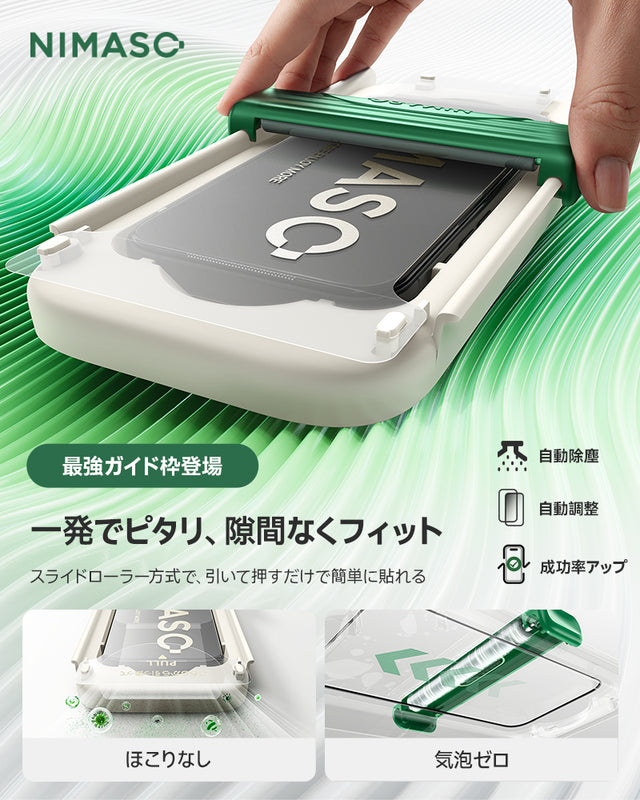
NIMASO Sliding Roller Tempered Glass Film for iPhone 17/Pro/Pro Max/Air, 3D Curved Edge Processing, Full Protection with Black Border, Fingerprint Resistant, and Guide Frame (1 Sheet)
Easy application! No bubbles or dust! Free shipping! Ships as soon as the next day, usually within 2-3 days.
Review ★5.0 | Limited stock
Preparation before application
How to prepare the work environment (countermeasures against dust and static electricity)
The most important thing when applying film is " creating the environment ."
No matter how high quality the film is, if you apply it in a place where there is a lot of dust, problems are bound to occur.
-
Recommended places:
- Bathroom (after shower, the steam has settled the dust)
- A quiet, windless room
-
Situations to avoid:
- A room with an air conditioner or fan running
- Open the window and let the breeze in
Static electricity is also a major enemy. Wash your hands thoroughly and dry them with a dry towel before applying the patch to reduce static electricity.
Required tools: Items required for application
NIMASO glass film comes with a set of dedicated tools to assist in the application process. Even if you are applying it for the first time, you can achieve a beautiful finish by using these correctly.
| tool | Role and usage points |
|---|---|
| alcohol wipes | Thoroughly remove oils, fingerprints, and dirt from the smartphone screen. By carefully performing this process before application, you can prevent air bubbles and lifting. |
| cleaning cloth | It wipes away any moisture or residual dirt left behind after wiping with alcohol. The fine fibers leave the screen clear without scratching it. |
| Dust removal sticker | This is an important item for removing tiny dust particles that are too fine to be seen with the naked eye. By lightly tapping it on just before application, you can prevent dust from getting in. |
| Guide frame | NIMASO's uniquely designed application support frame allows anyone to easily and accurately align the film by simply attaching it to the iPhone. This eliminates the worry of misalignment and the stress of having to reapply the film. |

By using these tools, you can recreate professional-grade results at home, just like you would get at a professional shop.
The guide frame in particular is one of the features of NIMASO film, and has been highly praised by beginners who say, "I was able to apply it straight and neatly!"
Anyone can apply it without any mistakes!
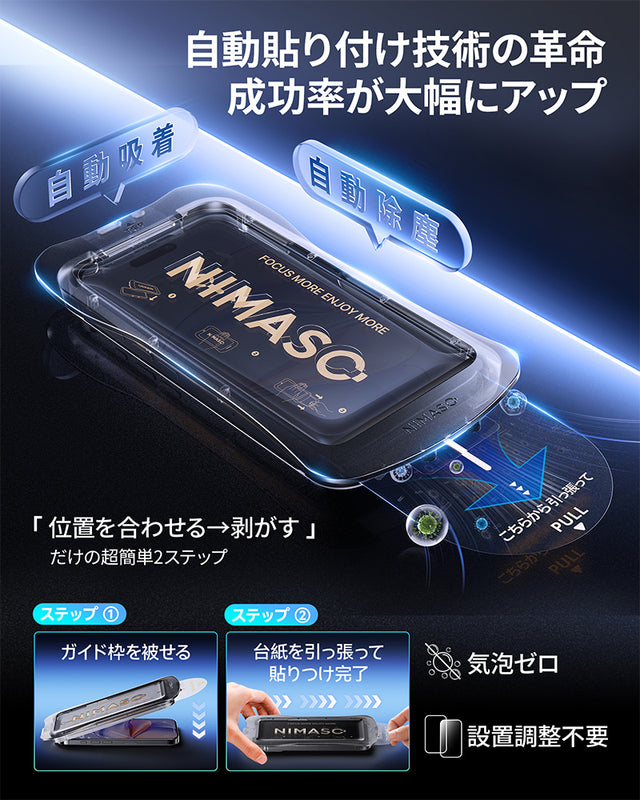
NIMASO Tempered Glass Film for iPhone 17/Pro/Pro Max/Air with Automatic Dust Removal Guide Frame (2-Pack)
We recommend the ultimate smartphone protection film! Free shipping! Ships as soon as the next day, usually within 2-3 days.
Review ★5.0 | Limited stock
Step-by-step application instructions
① Surface cleaning
First, carefully wipe the iPhone 17 screen with an alcohol cloth. This step is often overlooked, but it's the most important. Even traces of fingerprints, oils, and everyday dirt can cause bubbles, lifting, and poor adhesion .
Gently wipe the entire screen in a circular motion, making sure to also get to the corners and around the speakers . Afterwards, thoroughly wipe away any remaining water or alcohol with the included cleaning cloth, and ideally leave it to dry completely .
Tip: Wiping under a light will make it easier to spot uneven dirt and fingerprints.

② Dust removal and final check
The next step is to remove dust and check the finish . Checking the screen at an angle under bright light makes it easier to spot even the smallest dust particles.
If you find dust, simply press the included dust removal sticker lightly onto the screen and peel it off. The adhesive is not too strong, so there is no need to worry about scratching the screen.
By taking this extra step carefully, you can prevent mistakes like "a tiny speck of dust gets in and you regret it after applying it..."
Tip: If possible, apply the sticker in a room after a bath or in a humid environment , which will reduce the amount of dust in the air and significantly increase your chances of success.

③ Guide frame fixing (if included)
Many models of NIMASO glass films come with a dedicated guide frame . Simply insert this into the iPhone body to ensure precise alignment without any misalignment .
Since there is no need to eyeball the position as in the past, problems such as "it's a little crooked..." can be prevented and anyone can easily and reliably stick it in the center .
Recommended point: By applying the sticker with the guide frame attached, you can position it accurately in one go, reducing the stress of having to re-apply it.

④ Wait until the film sticks automatically
Once the guide frame is attached, it's time to apply the film. First, slowly peel off the protective layer (back film) of the glass film and gently place it on the screen.
NIMASO's film is an automatic adhesive type , so it automatically adheres tightly to the screen while air naturally escapes from the center to the outside.
At this time, be careful not to press it down too hard with your hands or move it around repeatedly, as this may cause air bubbles or dust to get in.
Tip: The trick is to wait a few seconds for the film to settle naturally. Don't rush the application process and proceed slowly.

⑤ Air bubble removal and edge lifting treatment
After applying, lightly press the center to make the film adhere to the screen, allowing the air to escape naturally.
If any small bubbles remain, use the included cleaning cloth and gently push them outward with the pads of your fingers . They will usually disappear naturally within a few hours to a day.
If the edges are slightly raised, you can improve this by gently pressing the corners to make them stick. If they are still not sticking, lift the corners slightly to remove any dust and then reattach them.

Tip: Immediately after applying the sticker, apply light pressure to ensure it adheres well, and ideally wait 1-2 hours before putting on the case. This will prevent the edges from lifting or peeling off.
By following these five steps, anyone can easily achieve a perfect, bubble-free application . NIMASO's guide frame and tools allow even beginners to achieve professional results.
Common mistakes that can occur when attaching and how to fix them
How to deal with dust contamination: Partial retries are effective
If you see small black dots or shadows after application, this is most likely caused by dust.
Don't try to crush it, just gently lift and remove part of the film .
- Lightly place the included dust removal sticker on the black dots to allow it to adhere.
- Return the film to its original position and press it down with a cloth from the center outwards.
NIMASO's glass film has a stable adhesive layer, and the adhesion does not decrease even if you reapply it once or twice , making it easy to readjust.
If you respond carefully and without rushing, you can restore your beauty.
Techniques for removing remaining air bubbles
Most of the small bubbles that may appear after application will disappear naturally.
Leaving it for a few hours to a day will allow the air inside to escape and make it less noticeable.
If it still persists, try the following steps:
- Wrap a soft cloth around your fingertips or the corner of a card
- Slowly push out from the center of the film to the outside.
Rubbing too hard can damage the adhesive surface, so the trick is to use light pressure and push it out slowly .
Also, if the bubbles are difficult to remove, they may be caused by fine dust particles.
Correction of misalignment: Recovery possible within 30 seconds
Even if you feel that the sticker is slightly out of place immediately after applying it, there is no need to give up immediately.
Before it completely adheres (within approximately 30 seconds) , you can gently lift it up and readjust it.
NIMASO film has a good balance of adhesiveness and elasticity, making it less likely to trap air bubbles and highly re-adhesive even after correcting misalignment .
When reapplying, it is important to keep the work environment clean to prevent dust from entering.
Lifting or peeling edges: Check for dust and case interference
If the edge of the film is slightly lifted, the most common causes are "dust contamination" or "interference with the case."
First, gently lift up the floating part and clean it with a dust removal sticker.
Then press firmly with a cloth to re-adhere.
Also, if the case touches the edge of the film, it may gradually peel off.
In that case, it is recommended to choose a type with edges that tuck slightly inward rather than a full-coverage film .
We recommend a protective film that is easy to apply!
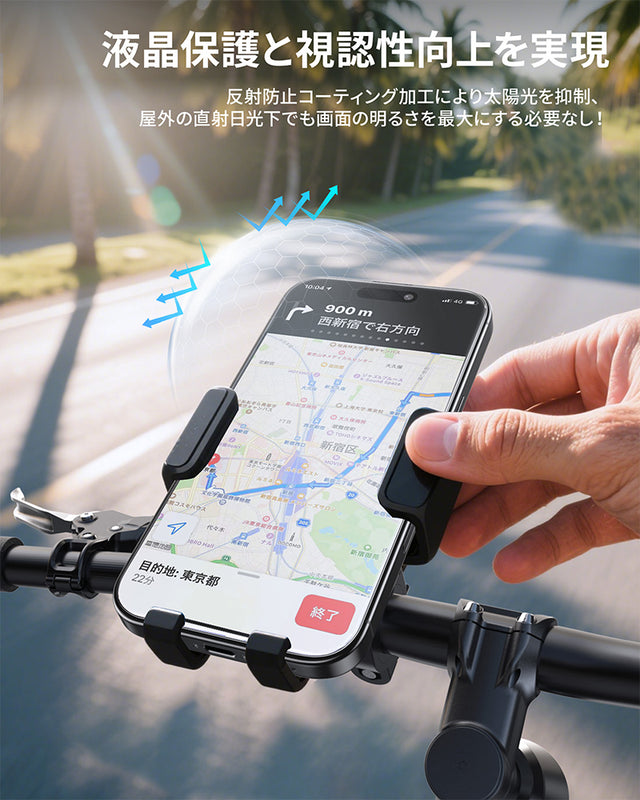
NIMASO Anti-Glare Tempered Glass Film for iPhone 17/Pro/Pro Max/Air with Automatic Dust Removal Guide Frame (2-Pack)
Effectively suppresses glare and reflections from sunlight and indoor lighting on your screen! Free shipping! Ships as soon as the next day, usually within 2-3 days.
Review ★5.0 | Limited stock
Precautions when using with a case
When using a screen protector and case together, it is very important to choose a design that does not interfere. Especially on models with gently curved edges like the iPhone 17 series, the edges of the case often push up the edge of the screen protector, causing it to lift or peel off.
Therefore, it is recommended to check the following points when purchasing:
- Design with a few millimeters of margin at the edges : A design that fits slightly inward rather than a full cover type is less likely to interfere with the case and will last longer.
- Compatibility with MagSafe compatible cases : Cases that use magnetic force have a strong adhesive and are prone to putting pressure on the edges, so it is safer to choose a flexible glass material.
- Structure of notebook-style cases and bumper-style cases : Be careful with types where the flap or metal frame touches the edge of the screen, as this may put pressure on the film when opening and closing.
NIMASO's glass film uses a precise edge-cut design that takes these issues into account. By leaving a slight margin around the edges, it is designed to be less likely to lift or peel off even when combined with various cases, such as MagSafe compatible cases, wallet-style cases, and bumper-style cases.
NIMASO has also conducted compatibility testing with cases and confirmed high compatibility in actual usage environments, so users who want to use both a case and a screen protector can choose with confidence.
When should you decide to reapply/replace?
Consider re-attaching or replacing the sticker if:
- Dust gets inside the film and cannot be removed
- Repeated edge lifting
- Cracked due to falling
- The grip has become less smooth and the water-repellent coating has deteriorated.
NIMASO offers a one-year replacement warranty after purchase .
Even if there is an initial defect or an application error, you can rest assured that you will receive support.
We recommend purchasing from an authorized store or official website.
Apply in one go without bubbles or dust!

NIMASO Anti-Peep Tempered Glass Film for iPhone 17/Pro/Pro Max/Air with Automatic Dust Removal Guide Frame (2-Pack)
Two-step application, automatic dust removal, zero bubbles, and 25° privacy protection! Free shipping! Ships as soon as the next day, usually within 2-3 days.
Review ★5.0 | Limited stock
iPhone 17 film application video
Summary: If you keep this in mind, your success rate will increase!
Anyone can successfully apply a film to an iPhone 17 if they know the tricks .
Finally, let's review the main points.
- Prepare the environment before applying
- Perfect prep with alcohol wipes and dust remover
- Guide frame prevents misalignment
- After application, remove any air bubbles from the center to the outside.
- Check for interference with the case
With NIMASO's guide framed film, even beginners can apply it perfectly in just 3 minutes.
Please refer to this article and try it out to keep your precious iPhone 17 beautiful and protected.


